Why I Built This
I wanted to build something end-to-end: a React frontend talking to a real API, not just localStorage. Django REST Framework gave me a chance to practice API design and serialization, while shadcn/ui and TypeScript sharpened my frontend skills. A notes app was the right scope—small enough to ship, complex enough to learn from.
Architecture
The app follows a classic client-server architecture. The React frontend makes API calls to a Django REST Framework backend, which handles data persistence with SQLite. Clean separation of concerns—the frontend doesn't care how data is stored, and the backend doesn't care how it's displayed.
The App
A straightforward notes application where you can create, organize, and search notes with tag-based organization. Each note supports basic text content with a clean, distraction-free interface. The dark theme reduces eye strain during late-night note-taking sessions.
testing
Key Features
Tag System
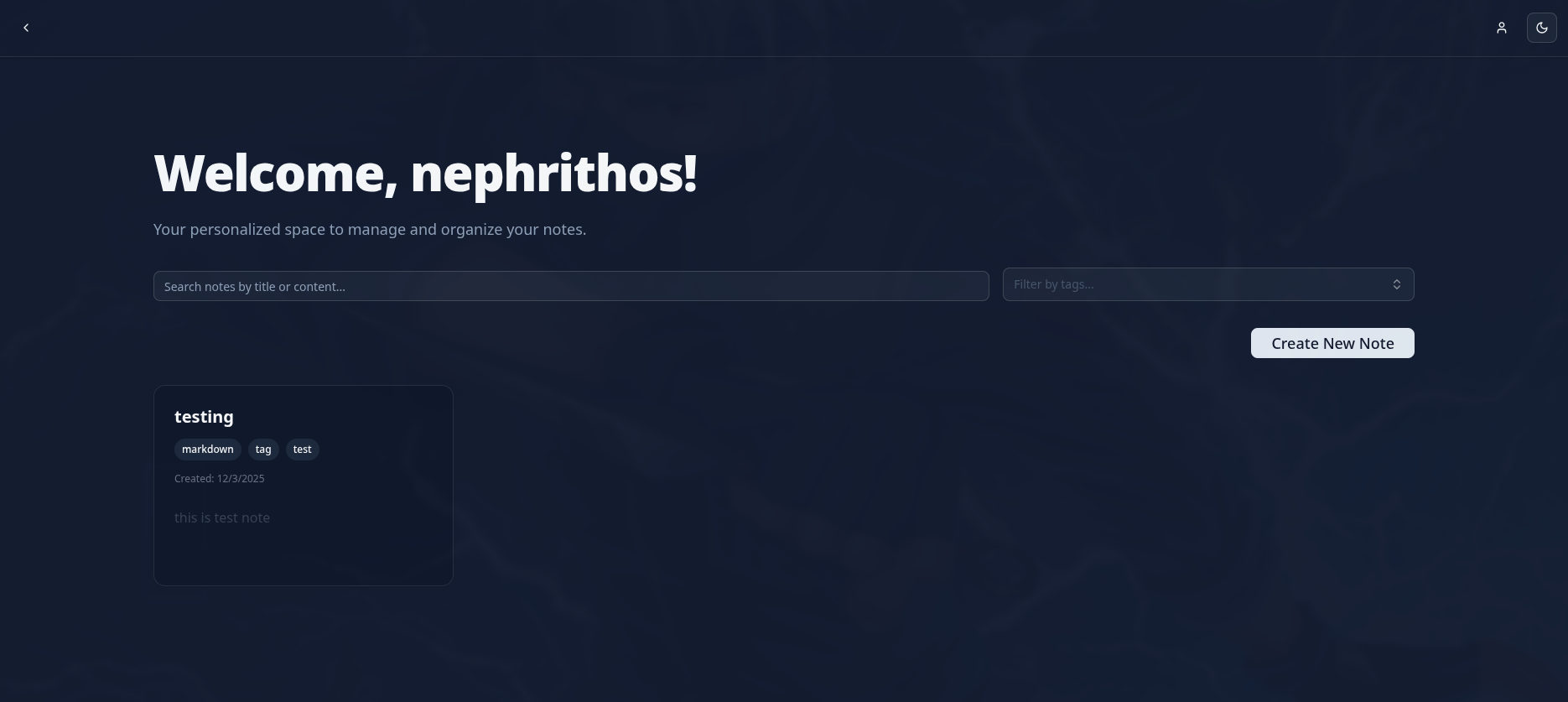
Organize notes with multiple tags for flexible categorization and filtering.
Search & Filter
Quickly find notes by title or content with real-time search and tag filtering.
Dark Mode
Eye-friendly dark theme that's easy on the eyes during long writing sessions.
REST API Backend
Proper data persistence with Django REST Framework and SQLite database.
Interface Views
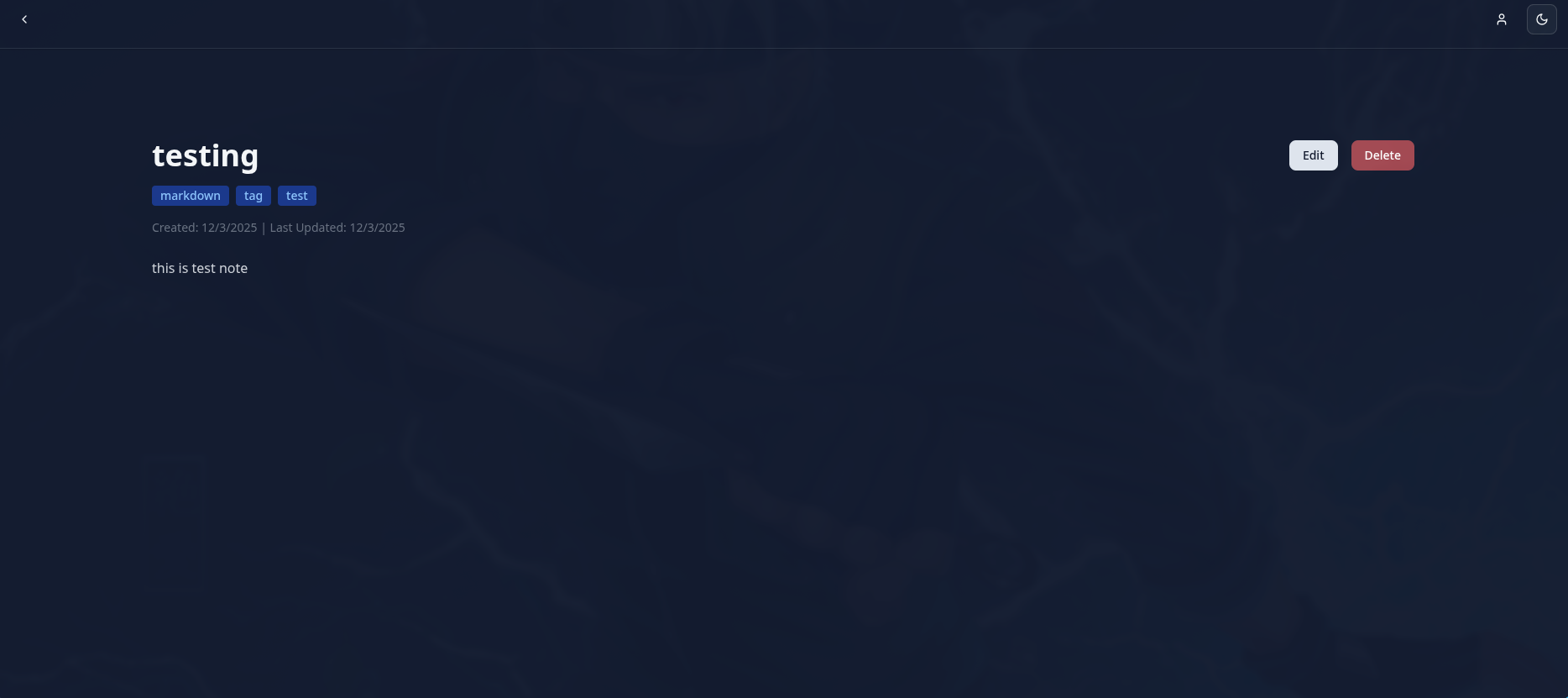
The app has two main views: a dashboard for browsing and searching notes, and a detail view for reading and editing individual notes.
Tech Stack
Frontend
Backend
Technical Highlights
A few things I focused on while building this:
RESTful API design: Built a clean API with Django REST Framework, using serializers to handle the translation between Python objects and JSON.
from rest_framework import
          serializers
          from .models import Note, Tag

          class TagSerializer(serializers.ModelSerializer):
          class Meta:
          model = Tag
          fields = ['id', 'name']

          class NoteSerializer(serializers.ModelSerializer):
          tags = TagSerializer(many=True, read_only=True)

          class Meta:
          model = Note
          fields = [
          'id', 'title', 'content',
          'tags', 'created_at', 'updated_at'
          ]
Type-safe frontend: Used TypeScript interfaces that mirror the API response structure, catching mismatches at compile time.
interface Tag {
          id: number;
          name: string;
          }

          interface Note {
          id: number;
          title: string;
          content: string;
          tags: Tag[];
          created_at: string;
          updated_at: string;
          }
Component composition with shadcn/ui: Rather than using a heavy component library, shadcn/ui gave me ownership of the component code while maintaining consistency.
import { Card } from "@/components/ui/card";
          import { Badge } from "@/components/ui/badge";

          export function NoteCard({
          note, onClick }: Props) {
          return (
          <Card onClick={onClick} className="cursor-pointer hover:bg-accent">
          <h3 className="text-lg font-semibold">{note.title}</h3>
          <div className="flex
            gap-2 mt-2">
          {note.tags.map((tag) => (
          <Badge key={tag.id}>{tag.name}</Badge>
          ))}
          </div>
          </Card>
          );
          }
What I Learned
DRF Serializers
Nested serializers for relationships, handling many-to-many tags cleanly without N+1 queries.
API-First Thinking
Designing the API contract first made frontend development smoother—I knew exactly what to expect.
TypeScript + REST
Typing API responses caught several bugs where I assumed the wrong shape or field name.
CORS Configuration
Learned the ins and outs of django-cors-headers when the frontend and backend run on different ports.
shadcn/ui Philosophy
Copy-paste components you own vs. npm dependencies you don't. More work upfront, more control long-term.
Dark Mode Implementation
Learned to use CSS variables and Tailwind's dark mode utilities for seamless theme switching.
Future Improvements
If I revisit this project, I'd consider adding:
- Markdown rendering with live preview split-pane editor
- User authentication with JWT tokens
- Keyboard shortcuts for power users (Cmd+N for new note, etc.)
- Export notes to PDF/HTML/Markdown files
- Nested folder organization for better structure
- Deployment with Docker Compose for easy self-hosting